

Make ads without leaving the chat.
The connector URL
https://www.showfolk.ai/api/mcpSigns you in on Showfolk, no key to paste. Muse takes an API key instead. Same credits, same 3-day free trial.
 ClaudeShowfolk connected
 ChatGPT
 Codex
Codex Cursor
Pick your assistant.
Chat app · Anthropic
Set up Claude
Add a custom connector in Settings. Works on every plan, including Free, in the web app, the desktop app and on your phone.
Who can use it. Free, Pro, Max, Team and Enterprise. A Free account can hold one custom connector. On Team and Enterprise an owner adds it once for the whole organization.
- 1Open Claude, then Settings → Connectors.
- 2Choose Add custom connector and paste the connector URL below. Leave the OAuth fields empty.
- 3Click Add. The first time you use it in a chat, Claude sends you to Showfolk to sign in and approve the connection.
- 4Ask for an ad. The first time Claude shows one it asks to open the picture view; choose Always allow so it stops asking.
Connector URL
https://www.showfolk.ai/api/mcpSource: Anthropic’s documentation, checked 2026-09-22.
Everything the site does, from the chat.
Read and build your brand kit
Your logo, colors, fonts, tone and product photos, exactly as the site has them. Paste a website and the assistant fills the kit from it, or hand it a photo to add.
Search the library and save references
Real ads from major brands, filtered by industry, layout and hook, saved into collections per brand. Without a plan the assistant sees the same previews the site would show you.
Make, revise and download ads
The same picker and headline suggestions the site uses, then the ad itself. Charged as credits, and the assistant asks before it spends any. The ad appears in the chat, and a click opens it on Showfolk.
Watch competitors
Add a Meta Page and ask what they are running: the verdict, the breakdown, what launched and what has stuck, and a reply ad drafted from any of theirs.
Track AI search
Which questions to track, who ChatGPT, Gemini and Perplexity recommend instead of you, why, and the ad that answers it.
Make photo slideshows
Three angles, a storyboard you can edit in the chat, then the images and a download link for every slide with the caption to post.
 Ads and AI search, from Muse.
Muse can’t open a sign-in page, so it connects with a Showfolk API key. Once it has one, ask it for an ad or for who ChatGPT, Gemini and Perplexity recommend instead of you.
- 1On Showfolk, open the menu under your email, choose Assistants & API keys, and make a key called Muse. Copy it: it is shown once.
- 2In a Muse chat, paste the request below.
- 3When Muse asks for the key, give it in the credential prompt Muse opens, never in the chat itself.
- 4Muse tests the connection and keeps it. Ask for an ad, or how your brand is doing in AI search. Where Muse can’t show the pictures, it gives you a link to each version.

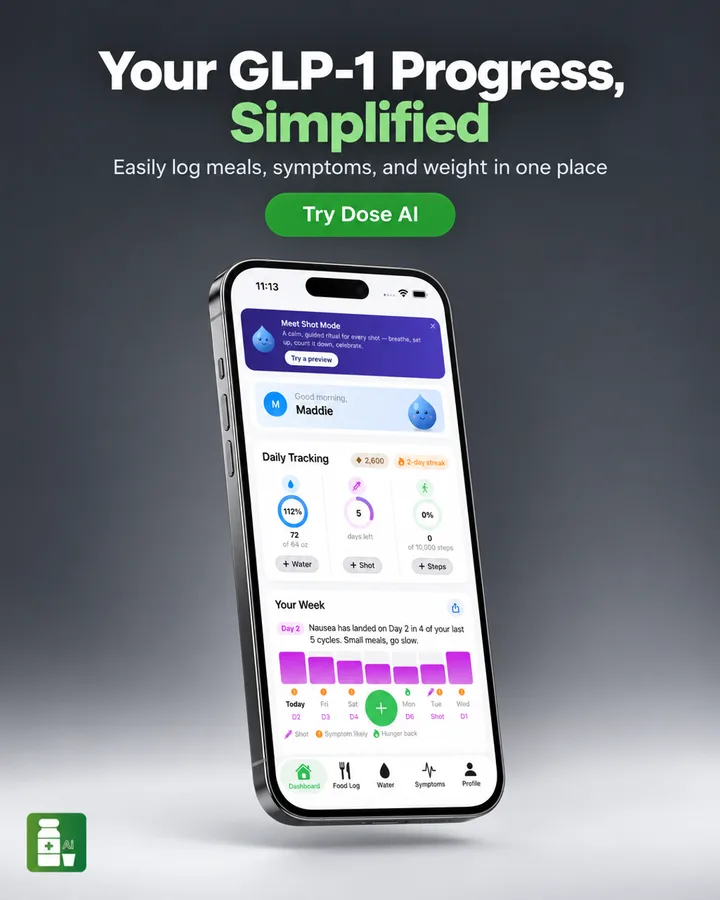
AI search · this week
“Best GLP-1 tracking app”
- ChatGPT
- Named you
- Gemini
- Named a rival
- Perplexity
- Cited your site
Reply ad, one ask away
Questions
- Do I need a plan on Showfolk?
- To make ads, yes, or the 3-day free trial every plan starts with. You start it on Showfolk, and it works the same way through an assistant as it does on the site. Setting up a brand kit and browsing part of the library only need a free account.
- Can the assistant spend my credits without asking?
- The connector tells the assistant to confirm with you before anything that charges credits, and the paid actions say so in their own descriptions. Credits, plan limits and refunds for failed jobs work exactly as on the site.
- What can the assistant see?
- Your Showfolk account only: brand kits, ads you have made, and the library. It never sees your password, because sign-in happens on Showfolk and the assistant only holds a token you can revoke. An assistant connected with an API key holds that key instead, and you can revoke it the same way.
- Does it post the ad to Meta?
- No. Showfolk hands back a download link and never connects to your ad account. You upload it in Ads Manager or when you boost a post.
- How do I disconnect?
- In Showfolk, open your account menu → Assistants & API keys and choose Disconnect under Connected apps. It will need your permission to reconnect. For an assistant using an API key, revoke its key on the same page. You can also remove Showfolk from your assistant.
- Which assistants work?
- Any that can add a remote MCP server over HTTPS, with OAuth sign-in or with a Showfolk API key sent as a bearer token. Claude, ChatGPT, Muse and Hermes are written up here because they are the ones people ask about. Cursor, Codex and Claude Code take the same URL.
For developers: a streamable-HTTP MCP endpoint protected as an OAuth 2.1 resource. Discovery follows RFC 9728, the authorization server supports PKCE and dynamic client registration, a signed-in account can make API keys to send as a bearer token instead, and tools that end with a picture carry an MCP Apps view. Questions.
The rest of the platform
- AdsStatic ads rebuilt from proven winners, in your brand, so you spend on what works.
- Ad libraryThe ads big brands keep paying for, sorted by industry, layout and hook.
- SlideshowsTikTok and Instagram photo slideshows, planned, written and made for you.
- Competitor watchWhat your competitors launched on Meta this week, and your reply.
- AI searchWho ChatGPT, Gemini and Perplexity recommend instead of you, and why.
- Brand kitYour logo, colors, fonts and photos, read from your website once.

Your assistant, now with a designer.
Paste the address into your assistant, or start on the site and connect later. Either way, every plan starts with a 3-day free trial.
https://www.showfolk.ai/api/mcp