

Photo slideshows for TikTok and Instagram.
Give it a topic. Showfolk plans the story, writes every slide, makes the photos in your brand and sets the words on top as real type. Change anything, then save the slides to your phone.
3 days free, then from $29.99 a month. Cancel any time before then and you pay nothing.


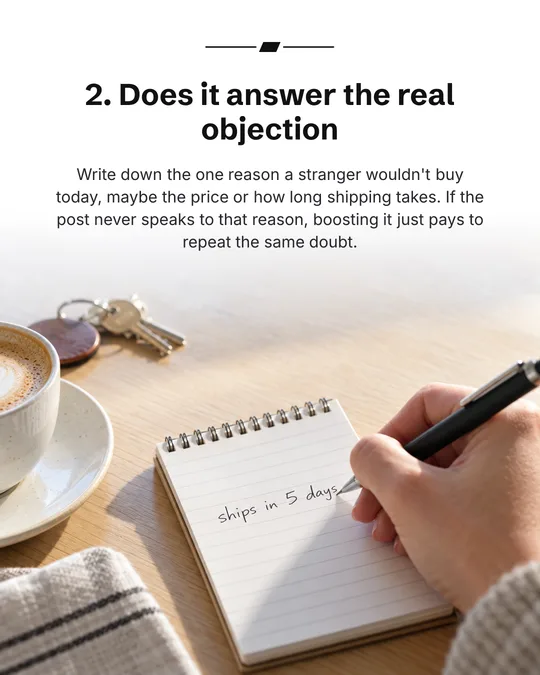

A slideshow Showfolk made for itself: “4 things to check before you boost that post again”
What you get
Planned for you
Three angles to pick from, each turned into a storyboard: a hook, the slides that pay it off, and a close. Or keep your own words as slide one.
Words that stay sharp
Text is never drawn by the image model. It is set as real type on top, with presets, 15 fonts and safe zones, so every word is spelled right.
Your brand and your products
Photos are made in your brand, your product photos can be slides of their own, and a creator can appear if you add one.
How it works
- 1
Start a slideshow
Choose the size (9:16, 4:5 or 1:1), who appears (a creator, hands only, or no face), your product photos and a topic.
- 2
Shape the story
Edit the storyboard: every slide’s words, what the picture shows, and whether it is a generated photo, your product photo or a text card. Reorder, add or cut.
- 3
Make the pictures
One press makes every generated slide at once, in about a minute. Failed or blocked slides are refunded.
- 4
Finish and save
Move and restyle the words in the editor, then save to Photos or download a zip of the slides with the caption written.
A closer look
What is a photo slideshow?
A post of several still images people swipe through, on TikTok in photo mode or on Instagram as a carousel. Each slide carries one idea in a few words, which makes them quick to read and easy to save.
Who appears in the photos?
You choose: no face at all, hands only, or a creator. A creator is a real person: you upload one to six photos of them and confirm you have their consent.
Does it post to TikTok for me?
Not yet. You save the slides and caption to your phone and post them yourself, which also lets you add a sound in the app.
How is this different from a template tool?
A template tool gives you a layout to fill in. Showfolk writes the story and makes the photos from your brand kit, so you start from a finished slideshow and edit it rather than an empty one.
Part of one pipeline
Who you are
What’s working
What you post
- Ads
- Slideshows
Included in every plan
Every plan includes Slideshows, with a free trial to start.
On its own, slideshow maker costs about
$49/mo
ReelFarm Growth, from its own pricing page, checked September 2026.
Showfolk Starter is $29.99/mo with Slideshows and every other tool on this page included.
Questions
- What does a slideshow cost?
- One credit per generated slide. Slides from your product photos and text slides cost nothing, and failed or blocked slides are refunded.
- Which sizes can I make?
- 9:16 for TikTok and Reels, 4:5 and 1:1 for Instagram feed carousels.
- Can I change the words after the pictures are made?
- Yes. Words, fonts, styles and positions never cost a credit and never remake a picture. Only changing what a picture shows makes a new one.
- Do I need to write the captions?
- No. A caption and hashtags are written with the slideshow, and you can change them before you save.
The rest of the platform
- AdsStatic ads rebuilt from proven winners, in your brand, so you spend on what works.
- Ad libraryThe ads big brands keep paying for, sorted by industry, layout and hook.
- Competitor watchWhat your competitors launched on Meta this week, and your reply.
- AI searchWho ChatGPT, Gemini and Perplexity recommend instead of you, and why.
- Brand kitYour logo, colors, fonts and photos, read from your website once.
- Claude & ChatGPTBrief Showfolk from the AI assistant you already use.

Stop paying to find out what works.
3 days free, then from $29.99 a month. Cancel any time before then and you pay nothing.