
How to make Facebook ads and track AI search with Meta’s Muse
By Spencer Tribe · Last updated
Connect Showfolk to Muse and you can ask Muse for a Facebook ad in plain English. Make an API key on Showfolk, ask Muse to connect to the Showfolk connector, and give it the key when it asks. From then on, Muse can set up your brand kit from your website, rebuild a real ad a major brand is running around your product, show you what your competitors are running on Meta, and tell you each week whether ChatGPT, Gemini and Perplexity recommend you or someone else. Setup takes about two minutes, and every Showfolk plan starts with a 3-day free trial.
What is Meta’s Muse?
Muse is Meta’s personal AI agent, launched in September 2026 and rolling out in the US and Canada. Unlike a chatbot that only answers, Muse carries out tasks, and it reaches other services through connectors. Meta says Muse can also write its own custom connectors for services that have an API, which is how Showfolk plugs in.
Muse is good at acting for you. What it does not have on its own is your brand kit, a library of ads that are known to work, or a record of what AI assistants say about your business. That is what the Showfolk connection adds.
What can Muse do once Showfolk is connected?
| Ask Muse | What happens |
|---|---|
| “Set up my brand kit from mysite.com.” | Showfolk reads your site for your logo, colors, fonts, tone and product photos, and uses them in every ad. |
| “Find coffee ads with a bold one-word headline.” | Muse searches the library of real ads major brands are running, filtered by industry, layout and hook. |
| “Make an ad for our Morning Blend in that style.” | The ad is rebuilt around your product and comes back as four versions, sized for the feed, square and Stories. Muse asks before spending credits. |
| “What are my competitors running?” | Showfolk reads their ads from the public Meta Ad Library and flags the ones that have run for 30 days. Ask for a reply ad to any of them. |
| “Is ChatGPT recommending us?” | The weekly AI search check: who ChatGPT, Gemini and Perplexity name for your buyers’ questions, and why. |
| “Make a slideshow about our new menu.” | A photo slideshow for Instagram or TikTok, planned in the chat and generated when you say so. |
Muse
Showfolk connected
Make an ad for our tracking app.

Four versions in your brand kit, each with a download link.
Is ChatGPT recommending us?
AI search · this week
- ChatGPT
- Named you first
- Gemini
- Recommended a rival
- Perplexity
- Cited your website
How do I connect Showfolk to Muse?
Muse does not use a settings screen for this. You set up the connection by asking for it in a Muse chat, and it connects with a key rather than a sign-in page.
- On Showfolk, open the menu under your email, choose Assistants & API keys, and make a key called Muse. Copy it: it is shown once.
- In a Muse chat, paste the request below.
- When Muse asks for the key, give it in the credential prompt Muse opens, never in the chat itself.
- Muse tests the connection and keeps it. Ask for an ad, or how your brand is doing in AI search. Where Muse can’t show the pictures, it gives you a link to each version.
The request to paste into Muse:
Connect to the Showfolk MCP server at https://www.showfolk.ai/api/mcp
It is a remote server over streamable HTTP.
It takes a Showfolk API key as a bearer token
(Authorization: Bearer sfk_...).
The key can do anything you can do on Showfolk, including spending credits, so it goes in Muse’s credential prompt and never in the chat. You can revoke it from Assistants & API keys at any time, and it stops working at once. Setup steps for Muse and other assistants.
How do I make a Facebook ad with Muse?
- Give it your brand. “Set up my brand kit from mysite.com.” Do this once.
- Pick a proven starting point. “Show me three ads for a [your trade] that lead with a customer quote.” Or let Showfolk pick one for you.
- Ask for the ad. “Make an ad for [your product] in the style of the second one. Suggest a few headlines first.” Muse confirms before it spends credits.
- Download it. “Give me the download links.” Upload the versions to Meta Ads Manager, or boost a post with one.
Showfolk does not copy the reference. It turns the reference into a brief about layout, lighting and mood, then builds a new ad around your product with your logo and headline placed as real layers, so they are never misspelled or redrawn. How that works.
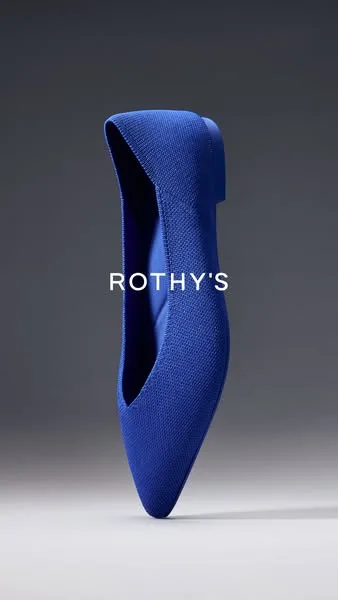
The reference: an ad a major brand is running.
What Showfolk made from it for an app.
How do I track AI search from Muse?
More buyers now ask an AI assistant for a recommendation before they search. If the answer names a competitor, you lose the customer without ever seeing it happen. Ask Muse: “Turn on AI search for my brand and suggest the questions my customers ask.”
Every week, Showfolk puts those questions to ChatGPT, Gemini and Perplexity and records whether each answer named you or cited your website, who it recommended instead and the reasons it gave. You also get what to change and a ready-made ad that answers it. Ask “How did we do in AI search this week?” whenever you want the latest. More on the AI search tracker.
Does Muse post the ad to Facebook for me?
Not through Showfolk. Showfolk hands back finished image files and never connects to your ad account, so you stay in control of what runs and what it costs. Upload the ad in Meta Ads Manager or boost a post with it.
What does it cost?
Showfolk plans start at $29.99 a month for 120 images after a 3-day free trial. Credits work the same from Muse as on the site, and a failed job is refunded automatically. Muse itself is Meta’s product, with Meta’s own availability and terms. Showfolk pricing.
Does this work with other assistants?
Yes. The same connector works in Claude and ChatGPT, which sign you in to Showfolk instead of using a key, and in agents such as Hermes. Setup for every assistant · Can ChatGPT make Facebook ads?